A poorly structured Google Ads campaign setup is one of the fastest ways to burn through a marketing budget without generating meaningful leads. Between account structure, targeting settings, and bidding strategy, small setup mistakes compound quickly, turning what should be a predictable lead source into an expensive guessing game.
This guide walks business owners and marketers through a complete, methodical approach to Google Ads campaign setup, covering everything from account architecture to keyword strategy, so your campaigns are built for performance from day one rather than requiring a costly restructure later.
Why Proper Google Ads Campaign Setup Matters From Day One
Many businesses treat campaign setup as a quick task to get ads live, only to discover months later that poor initial structure is limiting their results. A rushed Google Ads campaign setup often means mismatched targeting, unclear conversion tracking, and campaigns competing against each other for the same keywords, none of which are easy to fix without essentially starting over.
Investing proper time upfront in setup pays off through cleaner performance data, more accurate optimization decisions, and campaigns that scale predictably as budget increases.
Google Ads Strategy Guide: Planning Before You Build
Before opening the Google Ads interface, a solid Google Ads strategy guide starts with defining clear objectives. Are you driving phone calls, form submissions, e-commerce sales, or foot traffic to a physical location? Each goal requires different campaign types, bidding strategies, and conversion tracking setups.
Equally important is understanding your audience’s search behavior, particularly for businesses targeting both Kerala’s local market and broader GCC audiences, since search intent and competition levels can vary significantly between these regions.
PPC Campaign Setup: The Foundational Steps
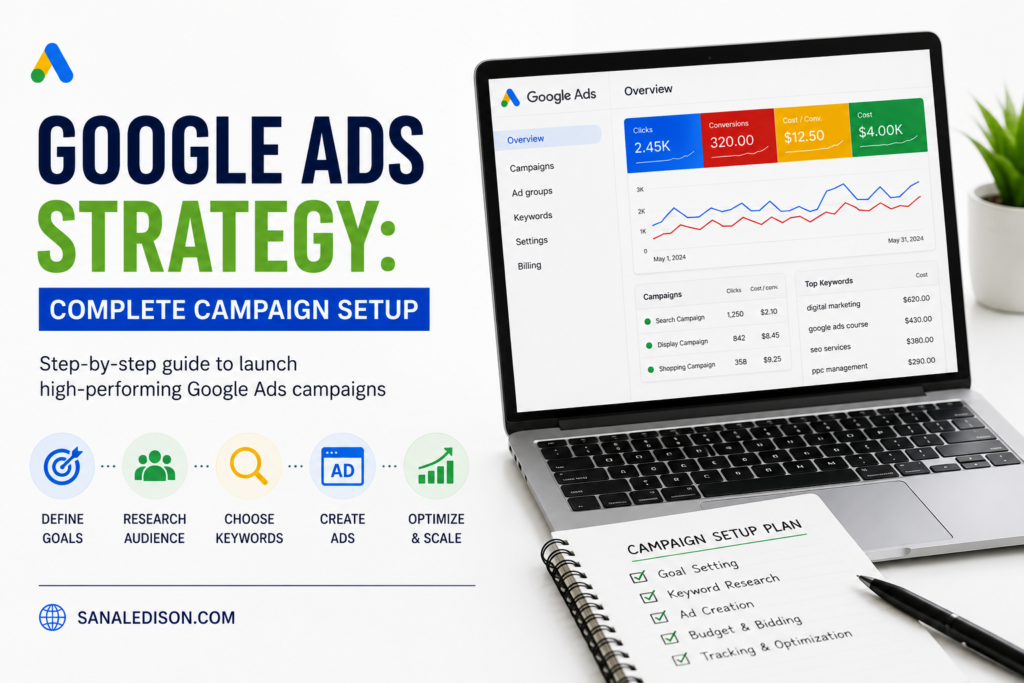
A methodical PPC campaign setup follows a logical sequence rather than jumping straight into keyword lists. The foundational steps include:
- Define your conversion goals and install proper tracking before launching any campaign
- Research your target keywords and estimate realistic cost-per-click ranges for your industry
- Structure your account logically before creating individual campaigns
- Write compelling ad copy aligned with actual search intent, not generic messaging
- Set up landing pages specifically relevant to each ad group, rather than sending all traffic to a generic homepage
Skipping steps in this sequence, particularly conversion tracking, is one of the most common and costly mistakes businesses make when launching their first campaigns.
Google Ads for Small Business: Getting Maximum Value on a Limited Budget
Google Ads for small business owners requires a different approach than enterprise-level campaigns with unlimited budgets. Smaller businesses benefit most from tightly focused campaigns targeting specific, high-intent keywords rather than broad terms that quickly exhaust budget without generating qualified leads.
Starting with a narrower geographic radius, particularly relevant for Kochi-based businesses competing in a specific local market, and expanding gradually based on performance data helps small businesses avoid wasting budget on searches unlikely to convert.
Google Ads Account Structure: Building for Long-Term Success
A clean Google Ads account structure is the backbone of every successful campaign. The typical hierarchy flows from account, to campaigns, to ad groups, to individual keywords and ads. Organizing campaigns by product line, service category, or geographic target, rather than lumping everything into one broad campaign, allows for much more precise budget control and performance analysis.
Ad groups within each campaign should be built around tightly related keyword themes, ideally just a handful of closely related terms per group, ensuring your ad copy stays highly relevant to what searchers are actually typing.
Campaign Types in Google Ads: Choosing the Right Format
Understanding the different campaign types in Google Ads helps ensure you’re using the right format for your specific goal:
- Search campaigns — Text ads appearing directly in search results, ideal for capturing high-intent searches
- Display campaigns — Visual ads shown across Google’s partner network, better suited for brand awareness than direct conversions
- Performance Max campaigns — Automated campaigns spanning multiple Google properties, useful for businesses wanting broader reach with less manual management
- Local campaigns — Specifically designed to drive foot traffic to physical business locations
Most businesses starting out benefit most from search campaigns, since they capture users actively searching for relevant products or services, delivering the clearest connection between ad spend and genuine purchase intent.
Google Ads Targeting Strategy: Reaching the Right Audience
An effective Google Ads targeting strategy layers multiple targeting methods rather than relying on keywords alone. This includes geographic targeting, particularly important for local businesses wanting to focus spend specifically on Kochi, Ernakulam, or broader Kerala and GCC markets, alongside audience targeting based on demographics, interests, and remarketing to previous website visitors.
Combining keyword targeting with these additional layers helps ensure your ads reach genuinely qualified prospects, rather than casting too wide a net and diluting your budget across low-intent clicks.
Google Ads Budget Setup: Avoiding Common Mistakes
Google Ads budget setup requires balancing enough daily spend to gather meaningful performance data against the risk of overspending before you understand what’s actually working. Starting with a modest but consistent daily budget, then adjusting based on performance data after gathering statistically meaningful results, tends to outperform aggressive initial spending followed by reactive cuts.
It’s also worth setting realistic expectations: most campaigns need at least a few weeks of consistent spending before Google’s algorithm has enough data to optimize delivery effectively, making patience during the initial setup phase genuinely important.
Google Ads Keyword Strategy: Finding the Right Search Terms
A strong Google Ads keyword strategy balances search volume, competition, and genuine purchase intent. High-volume keywords often carry higher costs and more competition, while more specific, longer-tail keywords typically convert better despite lower search volume, since they reflect more precise buyer intent.
Using match types strategically, exact match for your highest-priority terms, phrase match for controlled expansion, matters significantly for controlling which searches actually trigger your ads. Pairing this keyword strategy with strong on-page relevance on your landing pages, similar to the principles covered in our complete on-page SEO checklist, helps improve your Quality Score, which directly affects both ad rank and cost-per-click.
How to Run Google Ads Campaigns: Ongoing Management
Understanding how to run Google Ads campaigns effectively doesn’t end at launch; ongoing management is where sustained performance improvement actually happens. This includes regularly reviewing search term reports to identify irrelevant traffic, testing ad copy variations, and adjusting bids based on which keywords and audiences are genuinely converting.
Businesses that treat campaign management as a continuous process, rather than a set-it-and-forget-it task, consistently see stronger long-term ROI than those who launch campaigns and revisit them only occasionally.
Google Ads Beginner Guide: Common Pitfalls to Avoid
For anyone following a Google Ads beginner guide for the first time, a few common pitfalls are worth watching for specifically: skipping conversion tracking setup, using overly broad match types without negative keywords, mixing unrelated products or services into a single campaign, and expecting immediate results before the algorithm has enough data to optimize properly.
Avoiding these early mistakes saves significant budget and frustration compared to discovering them after weeks of underperforming campaigns. Businesses looking for a broader digital visibility strategy alongside paid advertising can also explore how local SEO complements paid search efforts for a more complete approach to online visibility.
Frequently Asked Questions
1. How much budget do I need to start a Google Ads campaign?
There’s no fixed minimum, but starting with a modest, consistent daily budget that allows for at least a few weeks of data collection is generally more effective than a large initial spend without a clear testing period.
2. How long does it take to see results from a Google Ads campaign?
Most campaigns need several weeks of consistent spending before Google’s algorithm gathers enough data to optimize delivery, though initial traffic and clicks typically begin immediately after launch.
3. Should small businesses use Performance Max or Search campaigns?
Search campaigns are generally recommended for businesses starting out, since they target users actively searching for relevant terms, offering clearer intent than the broader reach of Performance Max campaigns.
4. Why is conversion tracking so important for Google Ads campaign setup?
Without accurate conversion tracking, it’s impossible to know which keywords, ads, or campaigns are actually generating leads or sales, making optimization decisions essentially guesswork.
5. How does Google Ads work alongside SEO for overall visibility?
Google Ads delivers immediate visibility while SEO builds long-term organic rankings, and running both together often improves overall click-through rates, since appearing in both paid and organic results increases brand credibility.
Final Thoughts on Google Ads Campaign Setup
A methodical, well-planned Google Ads campaign setup makes the difference between a campaign that generates consistent, measurable leads and one that quietly drains budget without clear results. Taking the time to properly structure your account, define targeting, and set realistic budgets upfront creates a foundation that scales efficiently as your business grows.
Sanal Edison – SEO Expert Kerala
35/2262, Kattiparambil House, Church Road, Palarivattom, Kochi – 682025
Phone: +91 8590595811 | Email: sanal@teknoppy.com