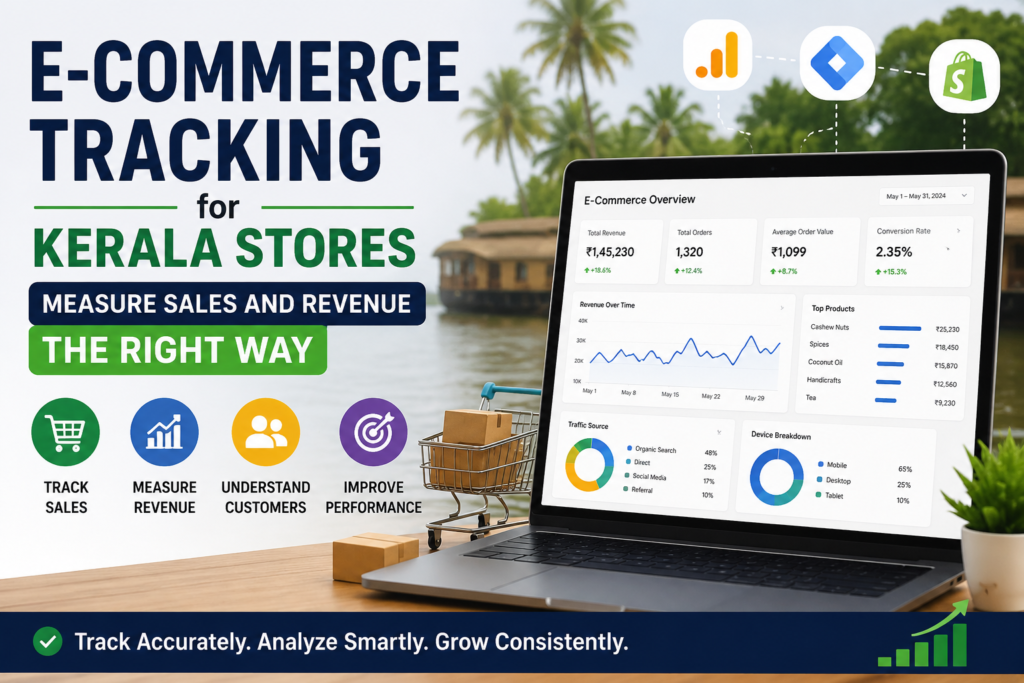
Running an online store in Kerala without proper tracking is like driving through Kochi’s evening traffic blindfolded. You are moving, but you have no idea what is costing you money or what is actually working.
E-commerce tracking for Kerala stores gives you the exact data you need — how many people visit, what they buy, where they drop off, and which marketing channels generate real revenue. If you are a small business, startup, or local brand in Kochi looking to grow online, this guide is built specifically for you.
Why E-Commerce Tracking Matters for Kerala Businesses
Kerala’s digital commerce market is expanding fast. Kochi, Thiruvananthapuram, and Kozhikode now have a significant base of mobile-first shoppers who research and buy entirely online. Yet most small business owners in Kerala still rely on payment gateway reports alone — which only show what was paid, not why customers left before paying.
Without proper tracking, you cannot answer:
- Which traffic source brings actual buyers vs. casual browsers?
- Where exactly are customers abandoning your checkout?
- Which products drive the most revenue and which drain returns?
- Is your ad spend generating a profitable ROAS?
Proper digital sales reporting for Kerala entrepreneurs closes this gap and turns raw numbers into weekly decisions you can act on.
If you are also working on getting found locally before driving traffic to your store, read how local SEO in Kochi supports your visibility at the very top of the funnel.
GA4 E-Commerce Setup for Kerala Stores: Step-by-Step
Google Analytics 4 is the most powerful free tool available for online store revenue tracking across South India. Universal Analytics no longer processes data. GA4 is now the only standard.
Step 1: Create and Connect Your GA4 Property
Log in to Google Analytics, create a new GA4 property, and connect it to your website. For WooCommerce stores, install the Google for WooCommerce plugin and link it directly to your GA4 property. This single step handles most event tracking automatically.
Step 2: Enable Enhanced E-Commerce Events
These are the events that map your full buyer journey:
- view_item — product page viewed
- add_to_cart — item added to basket
- begin_checkout — checkout started
- purchase — transaction completed
These events are the backbone of sales funnel tracking for Kerala online shops. Without them, you are only seeing surface-level page view data that tells you nothing about revenue.
Step 3: Verify with DebugView
Place a test order on your store. Open GA4 DebugView and confirm the purchase event fires with the correct transaction ID, product name, quantity, and revenue value. A missing field here means inaccurate reports downstream.
Understanding what users do after they land is also connected to how they behave on individual pages. The website heatmap analysis for Kerala businesses guide explains how to layer heatmap data on top of GA4 for a complete behavioral picture.
How to Track WooCommerce Sales in Kerala
WooCommerce is the most widely used e-commerce platform among Kerala small businesses because of its flexibility and low setup cost. Here is how to make sure your track WooCommerce sales Kerala configuration is complete and accurate.
Install the Google for WooCommerce plugin. This handles purchase events, product impression tracking, and Google Ads conversion linking automatically once connected to your GA4 property.
Use WooCommerce built-in reports every week for gross sales, net sales, refunds, and top-performing products. These are your quick operational numbers before you go deeper in GA4.
Connect to Google Looker Studio to build a live dashboard combining WooCommerce and GA4 data in one place. This is the most efficient format for Kerala small business e-commerce metrics when you need to report performance without manually pulling numbers each month.
Google Analytics E-Commerce for Kerala Retail: What to Track
Google Analytics e-commerce Kerala retail tracking goes well beyond counting purchases. The real value is in the behavioral data that shows you the full journey from first visit to final sale.
Inside GA4, navigate to Reports → Monetization → E-commerce Purchases. Here you will find:
- Item revenue — which specific products generate the most money
- Items viewed vs. items purchased — reveals product page conversion gaps
- Item refund rate — flags quality or expectation issues with specific SKUs
- Purchase revenue by session source — shows which channels drive buyers, not just traffic
For Kerala retail businesses running both physical and online stores, this channel breakdown is especially valuable. It tells you whether your Instagram Ads, organic Google traffic, or WhatsApp campaigns are actually closing sales — not just generating clicks.
Pair this with attribution modeling for the Kerala customer journey to understand which touchpoints across the full path to purchase deserve the most credit and budget.
Measuring Your E-Commerce Sales Funnel for Kerala Online Shops
Sales funnel tracking for Kerala online shops means building a step-by-step view of where buyers drop off before completing a purchase.
Build a Funnel Exploration in GA4:
- Go to Explore → Funnel Exploration
- Add events in sequence: view_item → add_to_cart → begin_checkout → purchase
- Segment by device type or traffic source to spot mobile vs. desktop gaps
If your add-to-cart rate is healthy but checkout abandonment is high, the problem is usually shipping cost transparency, limited payment options, or a slow mobile checkout. All of these are fixable without additional ad spend.
For structured testing of what actually improves your funnel, A/B testing for Kerala websites provides a data-driven framework for making design decisions based on real user behavior.
Key Metrics: Measure Online Sales Revenue in Kerala
These are the numbers every Kerala e-commerce store must review without fail every week:
Conversion Rate — Percentage of visitors who complete a purchase. The healthy benchmark is 2–4%. Below 2% means your product pages or checkout flow need immediate attention.
Average Order Value (AOV) — Revenue per transaction. Increase this with product bundles, upsells at checkout, or a free shipping threshold that nudges customers to add one more item.
Revenue by Channel — Which source — organic search, Google Ads, Meta Ads, email, direct — is generating actual sales vs. just visits. This is the core of e-commerce analytics tools for Kerala businesses. Measure online sales revenue Kerala by channel, not just total, and you will know exactly where to invest next.
Customer Acquisition Cost (CAC) — What you spend in marketing to acquire one paying customer. Must stay below customer lifetime value for growth to be sustainable.
Return on Ad Spend (ROAS) — Revenue earned per rupee spent on advertising. A ROAS of 4 means every ₹100 in ads returns ₹400 in revenue. Anything below 2.5 for a Kerala retail store typically means your targeting or landing pages need optimization.
Stay current with how search and analytics are evolving together by reviewing the SEO trends Kerala businesses should follow in 2026.
E-Commerce Conversion Rate Optimization for Kerala Stores
Once your GA4 e-commerce setup for Kerala stores is live and funnel data is flowing, the next priority is e-commerce conversion rate optimization Kerala. This means improving your existing store to convert more of the traffic you already have.
Product pages: Use multiple high-quality images from different angles. Write descriptions that answer real buyer questions — material, size, use case, and benefits. Add verified customer reviews near the buy button and display your return policy clearly.
Checkout: Offer UPI, net banking, credit and debit cards, and cash on delivery where applicable. Remove unnecessary form fields. Ensure checkout loads under 3 seconds on mobile, as the majority of Kerala shoppers buy on smartphones.
Cart recovery: Set up automated cart abandonment email or WhatsApp sequences. Recovering even 10% of abandoned carts significantly increases monthly revenue without additional ad spend.
For setting up goal events that measure these conversion improvements inside GA4, the goal tracking in Google Analytics for Kerala business success guide walks through every step.
AEO and GEO Optimization for Kerala E-Commerce Content
AEO (Answer Engine Optimization) means writing content that directly answers questions your buyers type or speak into Google, ChatGPT, or Perplexity. Structure your product pages and blog content with clear question-and-answer patterns. Use FAQ schema markup on all key pages so AI search engines can extract and cite your answers.
GEO (Generative Engine Optimization) takes this further by positioning your content as the authoritative local source. When a Kerala buyer asks an AI engine “how do I track sales on my WooCommerce store in Kerala,” your content should be the cited answer — because it is specific, accurate, and locally relevant.
Frequently Asked Questions
What is e-commerce tracking and why do Kerala stores need it? E-commerce tracking records sales, revenue, user behavior, and funnel data from your online store. Kerala stores need it to identify what drives purchases and where customers drop off so every marketing decision is backed by real data rather than guesswork.
Which is the best tool for measuring online sales revenue in Kerala? Google Analytics 4 combined with Google Search Console is the best free setup for Kerala stores. The Google for WooCommerce plugin simplifies the GA4 e-commerce configuration. Google Looker Studio is ideal for building live custom dashboards.
How does Google Analytics e-commerce help Kerala retail businesses specifically? GA4 breaks down revenue by product, channel, device, and location. For Kerala retail stores, this means you can see whether Kochi customers buy differently than Thrissur customers, which ad campaigns drive real purchases, and which products get viewed but never bought.
What is a good conversion rate for Kerala online stores? A conversion rate between 2–4% is healthy for most stores. Below 2% typically signals product page quality issues, a poor mobile experience, or checkout friction that needs fixing before you increase ad spend.
How does e-commerce tracking connect to SEO performance? Tracking shows which organic keywords bring buyers versus browsers. Combined with Search Console data, you can identify high-intent Kerala keywords that deserve more content investment and on-page optimization.
Can Sanal Edison help set up e-commerce tracking for my Kerala business? Yes. Sanal Edison provides complete GA4 setup, WooCommerce tracking configuration, funnel audits, and ongoing digital sales reporting for Kerala entrepreneurs and small businesses. Visit sanaledison.com to book a free SEO audit or strategy call.