Your website could be ranking for the right keywords, targeting the right audience in Kochi or across GCC markets, and producing excellent content — and still losing position to a competitor whose site simply performs better.
That is what Core Web Vitals optimization decides.
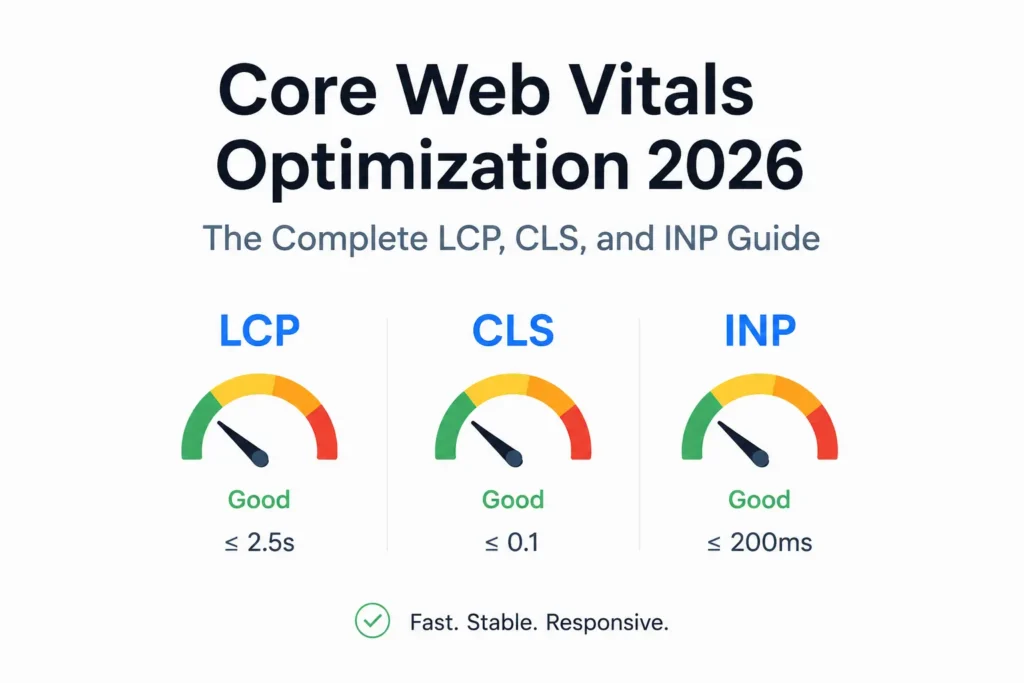
In 2026, Google uses Core Web Vitals as confirmed ranking signals within its Page Experience framework. These three metrics — LCP, CLS, and INP — measure what real users actually experience when they land on your page: how fast the main content appears, how stable the page stays while loading, and how quickly it responds when they interact with it.
Businesses that pass all three thresholds gain a meaningful technical edge. Businesses that fail lose rankings to competitors who do not — regardless of content quality, domain authority, or backlink count.
This guide gives you the exact understanding and implementation steps needed to diagnose, fix, and maintain passing Core Web Vitals scores across every page on your site.
What Are Core Web Vitals and Why Google Uses Them as Ranking Signals in 2026
Core Web Vitals are three specific performance measurements Google introduced to quantify real user experience on the web. They are not theoretical benchmarks — they are calculated from actual Chrome browser data collected from real users visiting real pages, stored in the Chrome User Experience Report (CrUX).
This matters enormously. Google is not ranking your website based on how it performs in a test environment. It is ranking your website based on how it performs for actual visitors — on their actual devices, on their actual network connections.
The three metrics that make up Core Web Vitals in 2026 are:
LCP — Largest Contentful Paint, measuring loading performance
CLS — Cumulative Layout Shift, measuring visual stability
INP — Interaction to Next Paint, measuring responsiveness
Google replaced the old FID (First Input Delay) metric with INP in March 2024. This was a significant change. FID only measured the browser’s delay before processing a user’s very first interaction with a page. INP measures the full visual response time for every interaction a user makes throughout their entire session — clicks, taps, keyboard entries, form submissions, dropdown selections, everything. It is a far more demanding and accurate measure of real-world responsiveness.
If your developer or SEO agency is still referencing FID, they are working from an outdated framework and likely producing inaccurate audits.
Understanding where Core Web Vitals sit within a complete technical strategy is essential. They are one critical layer within a broader technical SEO audit — and poor scores are frequently the visible symptom of deeper structural issues that a full audit would surface. Addressing Core Web Vitals without auditing the surrounding technical foundation is like fixing a symptom while leaving the cause untouched.
The 2026 Core Web Vitals Thresholds: What Good, Needs Improvement, and Poor Actually Mean
Google evaluates every metric at the 75th percentile of all page loads from real users. This means that 75 percent of visits to your page must reach the good threshold for that page to pass. A strong average is not enough — the experience for the bottom quarter of your visitors determines your score.
LCP Thresholds — Largest Contentful Paint
Good: 2.5 seconds or under
Needs Improvement: 2.5 to 4.0 seconds
Poor: above 4.0 seconds
CLS Thresholds — Cumulative Layout Shift
Good: 0.1 or under
Needs Improvement: 0.1 to 0.25
Poor: above 0.25
INP Thresholds — Interaction to Next Paint
Good: 200 milliseconds or under
Needs Improvement: 200 to 500 milliseconds
Poor: above 500 milliseconds
For most Kerala business websites — hotels, restaurants, clinics, e-commerce stores on WooCommerce — the typical pattern is: LCP fails because of an unoptimized hero image, CLS fails because images have no explicit dimensions, and INP fails because plugin scripts are competing for main thread time on every page interaction.
These are predictable, fixable problems. The sections below address each one completely.
LCP Optimization 2026: How to Diagnose and Fix Largest Contentful Paint
LCP measures the time from when the page begins loading to when the largest visible element on the screen — most commonly a hero image, banner photograph, or H1 heading — fully renders for the user.
A failing LCP tells Google that users are sitting on a blank or partially loaded screen waiting for the main content to appear. For a hotel website in Marine Drive with a full-width room photograph as the hero, or a restaurant in Fort Kochi with a banner image of their signature dish, LCP is almost always the first and most impactful metric to address.
What Causes LCP to Fail
Slow server response time (TTFB). If the server takes more than 600 milliseconds to deliver the first byte of the HTML document, the browser cannot begin rendering anything. LCP fails before the image has even started downloading.
Unoptimized images. A hero image saved as an uncompressed JPEG or PNG at 2MB to 4MB file size adds seconds to LCP on mobile connections. Format, compression, and dimensions all matter.
Render-blocking JavaScript and CSS. Files that must be downloaded and executed before the browser can render visible content delay LCP directly. Every render-blocking resource is time subtracted from your LCP budget.
Missing resource prioritization. The browser does not automatically know which element on your page is the LCP element. Without explicit hints, it may load decorative images, scripts, or fonts before the critical content element.
Lazy-loading the LCP image. Applying loading=”lazy” to your LCP image — a common mistake in page builder themes — instructs the browser to defer loading it. This is exactly wrong for your most important above-the-fold element.
Slow web fonts. Custom fonts loaded from Google Fonts or a self-hosted source that are not preloaded cause text to remain invisible until the font file downloads — a condition called FOIT (Flash of Invisible Text) — which delays LCP when the LCP element contains text.
How to Fix LCP: Step-by-Step Implementation
Step 1 — Convert all above-the-fold images to WebP or AVIF format.
WebP delivers the same visual quality as JPEG at 25 to 35 percent smaller file sizes. AVIF goes further — 40 to 50 percent smaller than JPEG — but requires checking browser compatibility for your audience. For WordPress websites in Kerala, plugins like Imagify, ShortPixel, or Smush handle WebP conversion automatically on upload.
Step 2 — Remove lazy loading from the LCP image.
Find the hero image in your theme or page builder and ensure it does not have loading=”lazy” applied. The LCP image should load eagerly by default.
Step 3 — Add fetchpriority=”high” to your LCP image element.
This single attribute tells the browser to treat this image as the highest-priority resource on the page, downloading it before scripts, stylesheets, and other images. Add it directly to the img tag:
img src=”hero.webp” fetchpriority=”high” width=”1200″ height=”600″ alt=”your alt text”
Step 4 — Preload the LCP image in the HTML head section.
Place this in the head of any page where the LCP element is a background image or where fetchpriority alone is insufficient:
link rel=”preload” as=”image” href=”hero.webp” fetchpriority=”high”
Step 5 — Improve Time to First Byte (TTFB).
If your TTFB exceeds 600 milliseconds in PageSpeed Insights, the problem is server-level. Solutions in order of impact: enable server-side caching (WP Rocket or LiteSpeed Cache for WordPress), upgrade from shared hosting to a managed WordPress host (Cloudways, Kinsta, or SiteGround), and implement a CDN (Cloudflare is free for most small sites) to serve assets from a location closer to your users.
Step 6 — Eliminate render-blocking resources.
In Google PageSpeed Insights, the Eliminate render-blocking resources audit lists every file delaying your page render with its estimated impact. Add defer or async to all non-critical JavaScript files. Extract the CSS rules needed for above-the-fold content and inline them in the head — then load the remaining CSS asynchronously.
Step 7 — Preload critical fonts.
Add link rel=”preload” for every font file used in above-the-fold text. Pair this with font-display: swap in your CSS to ensure text remains visible in the fallback font during the load — eliminating FOIT and keeping LCP from being delayed by typography.
CLS Optimization: How to Diagnose and Fix Cumulative Layout Shift
CLS measures visual stability — specifically, how much elements on the page move unexpectedly while it is loading. When images, advertisements, or embedded widgets appear after the initial render and push existing content down or sideways, each movement is recorded as a layout shift and added to the CLS score.
A high CLS score creates a genuinely frustrating user experience. A visitor reading your hotel room descriptions finds the text jumping as a review widget loads. A potential customer about to tap your phone number finds it has shifted as a banner ad appeared. These are not minor annoyances — they directly reduce engagement, increase bounce rate, and signal poor experience to Google.
For Kerala business websites, CLS is especially common on pages with image galleries, Google Maps embeds, third-party booking widgets, social media feeds, and banner advertising — all of which typically load after the initial page render.
What Causes CLS to Fail
Images with no explicit width and height attributes. This is the most common cause of CLS across all website types. When the browser does not know the dimensions of an image before it loads, it cannot reserve space for it. The image loads and everything below it moves down.
Embeds and iframes with no defined container dimensions. A Google Maps embed, YouTube video, or Instagram feed loaded into a container with no fixed height pushes surrounding content when it renders.
Dynamically injected content above existing page elements. Cookie consent banners, chat widgets, promotional notification bars, and pop-ups that load after the initial page render and push content downward all generate CLS.
Web font swapping causing text reflow. When the fallback font and the custom font are significantly different in size or line height, switching between them causes the surrounding text block to reflow — shifting elements below it and generating CLS.
Animations without the CSS transform property. Elements that animate using top, left, width, or height properties affect layout during animation. Only CSS transform and opacity are composited by the browser without triggering a layout shift.
How to Fix CLS: Step-by-Step Implementation
Step 1 — Add explicit width and height to every image and video element.
This is mandatory for every img and video tag on your website. It allows the browser to calculate the aspect ratio and reserve the correct space before the resource downloads.
img src=”restaurant-interior.webp” width=”800″ height=”533″ alt=”interior”
For responsive layouts, add this CSS rule so images scale properly while maintaining their reserved space:
img height: auto; max-width: 100%;
Step 2 — Use the CSS aspect-ratio property for all embed containers.
Wrap every YouTube video, Google Maps embed, and third-party iframe in a container that declares its aspect ratio:
.map-container aspect-ratio: 16 / 9; width: 100%; overflow: hidden;
This reserves the exact space the embed will occupy before it loads, eliminating the layout shift entirely.
Step 3 — Reserve space for advertisements, chat widgets, and cookie banners.
Assign a fixed min-height to the container of any element that loads asynchronously above the fold. For a chat widget that appears in the lower corner, ensure it is positioned as fixed and does not affect document flow.
Step 4 — Use font-display: swap for all web fonts.
This ensures text renders immediately in the system fallback font and swaps to the custom font when it downloads. The reflow from this swap is typically small enough to remain within the CLS good threshold. Pair it with the size-adjust descriptor in modern browsers to reduce even this minimal shift.
Step 5 — Load all dynamic content injections below the fold or in response to user action.
Cookie consent banners should slide in from the bottom, not push content down from the top. Notification bars should be built into the page layout from the initial render, not injected by JavaScript after load. Pop-ups should be triggered by user scroll or interaction — not by a timed JavaScript injection that fires during initial page load.
INP Optimization: How to Diagnose and Fix Interaction to Next Paint
INP is the newest and most technically demanding of the three Core Web Vitals metrics. It measures the time from when a user initiates any interaction — a tap, click, or keyboard entry — to when the browser has rendered the visual response to that interaction on screen.
The critical distinction from FID: INP measures every interaction throughout the entire page session, not just the first one. Google takes the worst interaction time at the 75th percentile of all user sessions and uses that as your INP score. A page that is fast to load but slow to respond to taps on a dropdown menu, slow to update a product quantity, or slow to validate a contact form field will fail INP even if LCP and CLS are passing.
For NRI entrepreneurs targeting GCC markets with e-commerce stores, for restaurants in Kochi with online reservation systems, and for service businesses with multi-step enquiry forms, INP is the metric most likely to be silently failing — because it is invisible to the user until they interact, and it is rarely addressed by generic WordPress optimization plugins.
What Causes INP to Fail
Long tasks on the main thread. JavaScript tasks running longer than 50 milliseconds block the browser from responding to user input during their execution. A 200ms JavaScript task that fires on page load means any interaction during those 200ms receives no visual response until the task completes.
Excessive third-party scripts. Every analytics pixel, Meta Pixel, Google Tag Manager tag, live chat script, and social sharing button runs JavaScript on your page. Each one competes for main thread time. The cumulative effect of five to ten third-party scripts can make interactions sluggish across the entire page lifecycle.
Heavy JavaScript frameworks loading all at once. A WordPress site using a JavaScript-heavy page builder that loads its entire runtime on every page — regardless of what that page actually needs — will consistently produce slow INP because the browser is processing code that has nothing to do with the current page.
Unoptimized event handlers. A click event listener that triggers a cascade of DOM queries, array operations, and synchronous state updates before rendering a visual response will produce poor INP on every click.
How to Fix INP: Step-by-Step Implementation
Step 1 — Identify long tasks using Chrome DevTools Performance panel.
Open Chrome DevTools, switch to the Performance tab, press Record, interact with your page (click buttons, open menus, fill form fields), then stop recording. Look for red-flagged tasks in the flame chart — these are the long tasks (over 50ms) blocking responsiveness. Identify which JavaScript functions are generating them.
Step 2 — Break up long tasks using yielding patterns.
Any task longer than 50ms that does not need to run as a single uninterrupted unit should be broken into smaller chunks. The modern approach uses scheduler.yield() between operations:
async function processUserInput() {
doFirstPart();
await scheduler.yield();
doSecondPart();
await scheduler.yield();
doThirdPart();
}
This yields control back to the browser between each section, allowing it to process pending user interactions immediately.
Step 3 — Audit and cut third-party scripts aggressively.
Open the Network panel in Chrome DevTools and filter by third-party domains. Identify every script loading from an external domain. Remove every script you cannot confirm is actively used. Defer all remaining third-party scripts using the async or defer attribute. Consider loading analytics and marketing pixels only after the page has fully loaded using a window.addEventListener(‘load’) wrapper.
Step 4 — Optimize event handlers to do minimum work in the interaction path.
The visual response to a user click should happen in the handler itself — updating the DOM, showing a loading state, changing a class. Move all heavy computation (API calls, data processing, complex calculations) outside the immediate event handler using Promises, async/await, or Web Workers.
Step 5 — Implement code splitting for JavaScript-heavy pages.
If your website uses a modern JavaScript framework or a heavy page builder, ensure only the JavaScript needed for the current page loads on that page. WordPress solutions include asset optimization in WP Rocket (load JavaScript only on pages where it is used) and using a lightweight base theme like GeneratePress instead of heavy theme frameworks.
Step 6 — Move long-running computations to Web Workers.
Web Workers run JavaScript in a background thread completely separate from the main thread. Any computation that does not need direct DOM access — search filtering, data sorting, complex form validation logic — is a candidate for moving to a Web Worker, freeing the main thread entirely for user interaction responses.
How to Measure Your Core Web Vitals Scores: The Right Tools in the Right Order
Google PageSpeed Insights — Start Here
Go to pagespeed.web.dev and enter your URL. You receive both lab data (Lighthouse test) and field data (CrUX real user data) for that specific page. The Opportunities and Diagnostics sections list every issue with its estimated impact on each metric. This is your first-pass audit tool.
Google Search Console Core Web Vitals Report — Most Important for Rankings
In Search Console, navigate to Experience then Core Web Vitals. This report shows field data across all pages on your website — categorized as good, needs improvement, or poor for both mobile and desktop. This is the report Google uses for ranking evaluation. Fix the pages listed as poor first, then needs improvement.
Chrome DevTools Performance Panel — For INP and Long Task Diagnosis
The most granular tool available. Record a page load and interactions, then examine the flame chart to identify exactly which JavaScript functions are consuming main thread time and generating long tasks. Essential for INP diagnosis — no other tool gives this level of visibility into what is actually happening during user interactions.
Lighthouse — For Lab-Based Diagnostics
Run Lighthouse in Chrome DevTools or from the command line for detailed lab-based analysis. Always run in incognito mode with all extensions disabled. Lighthouse scores will typically be more optimistic than field data because the test environment is controlled — but the diagnostic recommendations it generates are accurate and actionable.
Web Vitals Chrome Extension — For Page-by-Page Spot Checks
This free extension overlays real-time LCP, CLS, and INP readings as you browse any page. Useful for rapid auditing across multiple pages on your website without opening DevTools each time.
Core Web Vitals in Context: How They Connect to Your Broader SEO Strategy in 2026
Core Web Vitals do not operate in isolation. They are one component of a complete technical and content SEO strategy — and understanding their position in that ecosystem is what separates businesses that optimize effectively from those that chase individual scores without seeing ranking improvement.
The key SEO trends shaping Kerala businesses in 2026 make clear that technical performance, content quality, and E-E-A-T signals now operate as a single integrated system in Google’s ranking evaluation. A website that passes Core Web Vitals but produces low-quality content will not outrank a competitor with both. A website with excellent E-E-A-T signals but failing Core Web Vitals scores gives Google a reason to prefer a technically superior alternative.
The relationship to Entity SEO is particularly important for local businesses in Kochi and Kerala. Google recognizes your business as a trusted entity through consistent NAP data, Google Business Profile signals, schema markup, and authoritative content. Core Web Vitals passing tells Google that this trusted entity also delivers an excellent user experience. Together, they produce the compound authority signal that pushes pages toward position one.
For businesses also managing their visibility in AI-powered search results, Core Web Vitals matter in a secondary but real way: slow, unstable pages are less likely to be crawled deeply, less likely to have their content fully indexed, and less likely to be surfaced by AI systems that prioritize authoritative, fast, well-structured sources.
Understanding the distinction between SEO, AEO, and GEO as ranking strategies reveals that Core Web Vitals serve as a quality gate across all three — a website that fails them is penalized in traditional search, under-represented in answer engine results, and less likely to be cited by generative AI platforms.
Core Web Vitals for Kerala Business Websites: Practical Scenarios
Hotel Website — Marine Drive Kochi
Primary issue: LCP. The full-width hero photograph is the LCP element on every key page. Typical failure point: hero image is 2.8MB PNG with no fetchpriority hint, loaded from a slow shared hosting server with 1.2 second TTFB.
Fix priority: Convert hero to WebP (target under 150KB), add fetchpriority=”high”, move to a CDN-enabled host to reduce TTFB below 400ms. Expected LCP improvement: from 5.8 seconds to under 2.3 seconds.
Restaurant Website — Fort Kochi
Primary issue: CLS. Google Maps embed and reservation widget both load without defined container dimensions, shifting the menu text and booking button as the page renders.
Fix priority: Wrap map embed in an aspect-ratio: 16/9 container. Set explicit min-height on the booking widget container. Add width and height to all food photography images throughout the menu pages. Expected CLS improvement: from 0.31 to under 0.08.
E-Commerce Store — NRI Market Targeting GCC
Primary issue: INP. WooCommerce product pages running quantity selector scripts, variation dropdown handlers, add-to-cart Ajax calls, and five active third-party tracking scripts simultaneously. Interaction response times measured at 680 to 850ms on mobile.
Fix priority: Audit and reduce third-party scripts to essential only. Defer all non-critical scripts. Break up the variation selection event handler using scheduler.yield(). Move price calculation logic to a Web Worker. Expected INP improvement: from 740ms to under 180ms.
For e-commerce businesses in Kerala tracking the revenue impact of these improvements, the e-commerce tracking guide for Kerala stores explains how to measure conversion rate changes before and after performance optimization — giving you the data to quantify exactly what Core Web Vitals improvement contributed to revenue.
Core Web Vitals Optimization Master Checklist 2026
Use this reference for every website you audit or optimize.
LCP Checklist
Convert all above-the-fold images to WebP or AVIF
Remove loading=”lazy” from the LCP image
Add fetchpriority=”high” to the LCP image element
Preload the LCP image in the HTML head
Set explicit width and height on all images
Reduce TTFB to under 600ms with server caching and CDN
Eliminate render-blocking CSS and JavaScript
Preload critical fonts and apply font-display: swap
CLS Checklist
Set explicit width and height on every image and video
Apply CSS aspect-ratio to all embed and iframe containers
Reserve fixed space for ads, chat widgets, and dynamic content
Use font-display: swap for all custom web fonts
Load cookie banners and notification bars without pushing content down
Never auto-inject content above existing page elements on load
INP Checklist
Record interactions in Chrome DevTools Performance panel to identify long tasks
Break up all tasks over 50ms using scheduler.yield() or setTimeout(0)
Remove unused third-party scripts
Defer all non-critical third-party scripts until after page load
Optimize click and input event handlers to do minimum work in the interaction path
Implement page-level code splitting for JavaScript-heavy pages
Move heavy computation to Web Workers
Frequently Asked Questions
What is the difference between LCP, CLS, and INP in Google’s Core Web Vitals?
LCP (Largest Contentful Paint) measures how fast the largest visible content element on the page loads — the passing threshold is 2.5 seconds or under. CLS (Cumulative Layout Shift) measures how stable the page is while loading, with a passing threshold of 0.1 or under. INP (Interaction to Next Paint) measures how quickly the page visually responds to every user interaction throughout the entire session, with a passing threshold of 200 milliseconds or under. All three are evaluated at the 75th percentile of real user sessions. INP replaced FID as a Core Web Vitals metric in March 2024.
Do Core Web Vitals directly affect my Google rankings in 2026?
Yes. Core Web Vitals are a confirmed component of Google’s Page Experience ranking signal and are used as a ranking factor in 2026. Google evaluates them using real field data from Chrome users collected in CrUX. Pages that pass all three Core Web Vitals metrics have a measurable advantage over pages that fail, all else being equal. In competitive local markets like Kochi and Ernakulam, or in GCC markets where multiple well-optimised competitors exist, passing Core Web Vitals can be the difference between position 3 and position 8.
Why does my Lighthouse score look good but Google Search Console still shows failing Core Web Vitals?
Lighthouse produces lab data from a controlled synthetic test — a simulated page load from a fixed device and connection speed in an isolated environment. Google Search Console shows field data from real Chrome users visiting your actual website — on real devices, real mobile networks, and with real browser states including cached assets and extensions. Real users are more variable than any synthetic test. A page can score 90 in Lighthouse and still fail Core Web Vitals in the field because users on 4G connections in Kerala or on budget Android devices experience genuine degradation that the synthetic test never replicates. Field data is always what Google uses for ranking.
How long does it take to see Google ranking improvement after fixing Core Web Vitals?
Google updates CrUX field data on a rolling 28-day window. This means it takes approximately four weeks of improved real-user performance for your updated scores to appear in Search Console and be factored into rankings. You will see score improvements in PageSpeed Insights and Lighthouse within days of implementing fixes. The full ranking impact materializes over the following four to eight weeks as the field data window rolls forward. Page-level fixes on your highest-traffic pages produce results faster than site-wide optimization because the field data sample size for those pages is larger.
I run a small business website in Kochi — do Core Web Vitals really matter for me or is this only for large sites?
They matter more for small and local businesses than most people assume. For a hotel in Kochi competing for position one against three or four similarly optimised competitors, Core Web Vitals can be the tiebreaker Google uses to decide ranking order. More importantly, slow pages and layout-shifting content directly increase bounce rates and reduce conversion. A visitor who lands on your restaurant website and sees the page jump around or takes five seconds to load the menu will leave before calling. Fixing Core Web Vitals is simultaneously an SEO improvement and a direct revenue improvement. If you are unsure where your site stands, a freelance SEO expert in Kochi can audit your specific pages and prioritize the fixes by their actual ranking and conversion impact.
Get Your Core Web Vitals Audited and Fixed by an SEO Expert in Kochi
Sanal Edison is a certified SEO specialist based in Kochi, Kerala, with over 8 years of experience in technical SEO, Core Web Vitals optimization, and performance marketing for businesses across Kerala and GCC markets — through Teknoppy Pvt Ltd.
If your website is failing any of the three Core Web Vitals metrics, or if you want a complete technical SEO audit that identifies every performance issue affecting your Google rankings, start at sanaledison.com or speak directly with Sanal through the local SEO expert Kochi contact page.